How to Recover Hacked Facebook Account

How to Recover Hacked Facebook Account
Nowadays it is common to hair different Facebook users that their accounts have been hacked by scammers. With the coming in of modern technologies, hackers are coming up with different tactics which make them easily take control of different Facebook accounts for different users everyday.
In most cases, the hackers upon taking off your account, they scam you or steal useful personal details you have. In some cases, they post different things, which were not supposed to be posted by you.
When the hackers take a control of your Facebook account, they often move quickly to lock you out of a hacked Facebook account by changing your password and updating your phone number and email, so that you can’t access your login or 2FA codes.
This article is for you if your Facebook account is hacked. We will guide you with step by step details on how you can have your hacked Facebook account back.
Here are some of the most common warning signs which show your account is getting hacked:
- Failure to sign in to your Facebook account, with same login details.
- Receiving a “password reset” email that you haven't requested.
- Changes to your Facebook profile
- Posting unusual posts or comments
- Your friends getting messages you haven't sent, which they believe are suspicious.
Steps to Recover Your Hacked Facebook Account
The following are the detailed steps you should do to recover your Facebook account you are no longer in control.
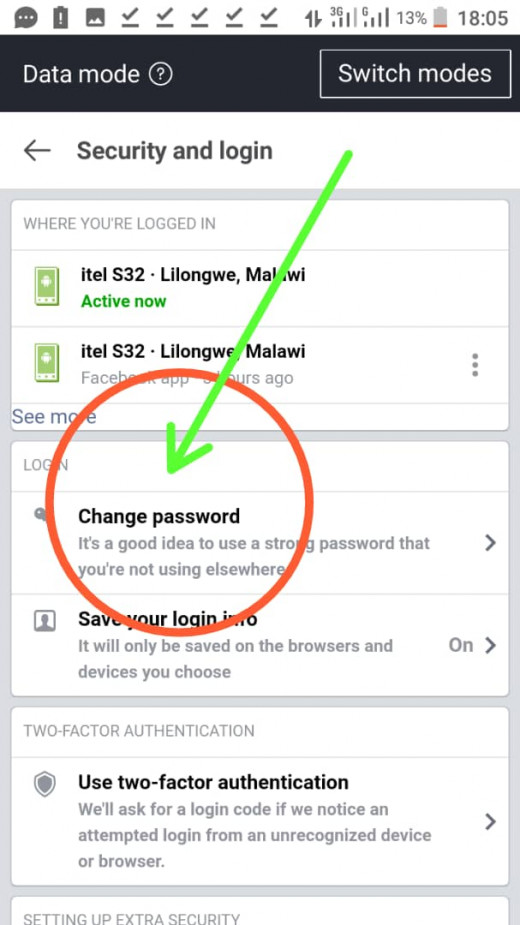
Step 1: Change your password
Most scammers or hackers precisely, what they do first, is to change users login details so that you no longer access your account. When you notice that you are still accessing your Facebook account, you should quickly login to your Facebook account and go to security settings and change your password, which will make the hackers no longer able to access your Facebook account.
Step 2: Check where you’re logged in
Once you complete the step one, you should login to your Facebook account and go to user security settings to check which devices are currently logged in and which specific locations. You should Navigate back to “Password and Security” (or “Security and Login” on the desktop).
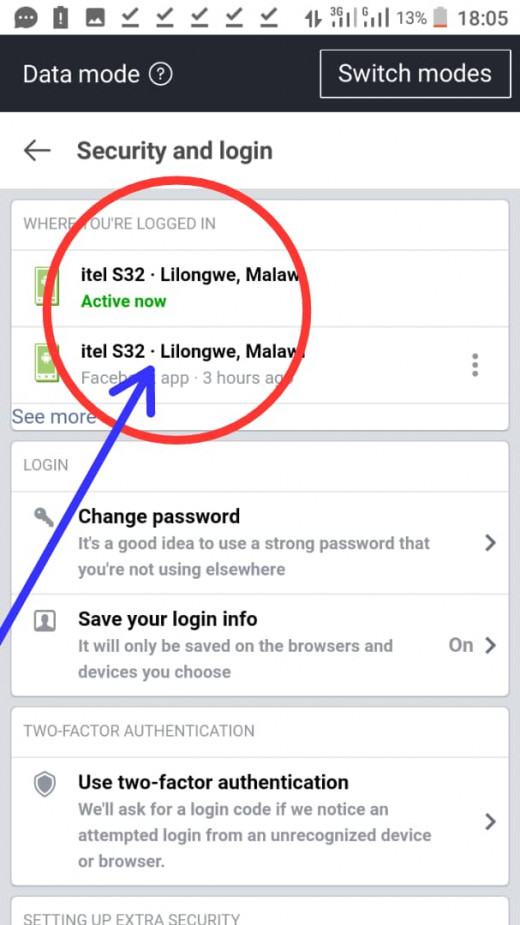
If you notice that different users are still accessing your Facebook account on different devices, you should log them out through your user security settings.
Step 3: Report the incident to Facebook
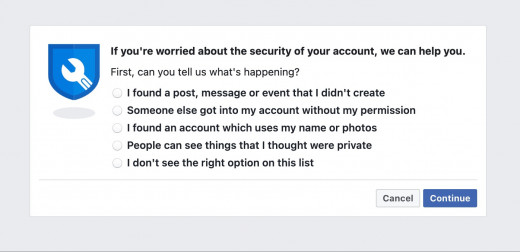
Once you log them out, to strengthen your account you need to report this incident to Facebook. You can do this through the same user security settings.
Ways To Recover a Hacked Facebook Account That You Are No Longer in Control
Some hackers are very quick in changing your user login details so that you should no longer have an access to your account. In this case, you should follow the below steps.
Step 1: Open Facebook on all of your devices
If you were logging in to your Facebook account on multiple devices, you should try to login using all the devices, as it might be possible that the hacker may forget to log you out. In this case, you can easily recover your account by changing passwords and logging the hackers out.
If you are unable to access your account in this way, you should process to the next step which is account recovery process.
Step 2: Find your account
To easily recover your account, you should ensure you undergo this process on the devices which you were using to login to your Facebook account.
In this step, we will focus much on recovering your hacked Facebook account by means of changing your password using account recovery process.
You should visit facebook.com/login/identify to change your password. The page will prompt you to enter the email address or phone number that you used to create your account. If using email or your mobile number fails to work, try using your full name on the recovery box.
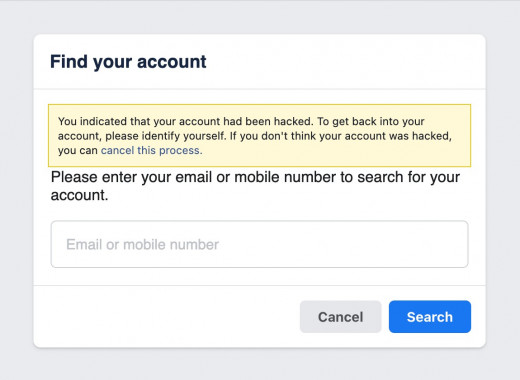
Facebook will ask you to submit the original email address or phone number that you used to sign up for your account.
Step 3: Change the email address connected to your Facebook account
Once you have completed the above step, the system will ask to send a verification code to the address or phone number currently associated with your Facebook account. If the account or phone number listed does not belong to you, you should select “No longer have access to these,” and “Cannot access my email.”
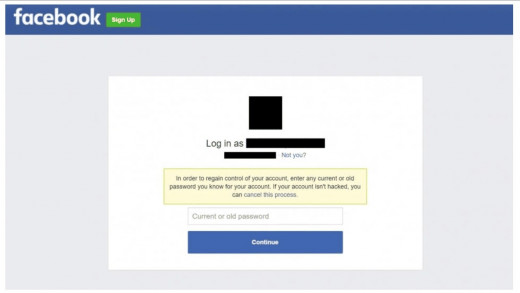
In most cases, Facebook will then start the process of changing the email address associated with your account. If this will not work, you should visit facebook.com/hacked and select “My account is compromised.” The page will ask you to enter your account’s current password, or a previous one that you used in the past. Once you enter your password, you should select “Secure my account,” and then, “I cannot access these.” Facebook will ask for your current or previous password in order to start securing your account.
During your account securing process, Facebook will ask you to submit a photo of your national ID card. Having done this, the Facebook support will send you an email with an account recovery link.
Step 4: Set up a recovery email address
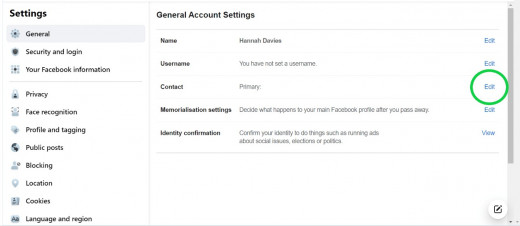
Once you access your account through the account recovery link, you should go to security settings and delete any user information you do not recognize, but it's associated with your account.
Step 5: Clean up your account settings
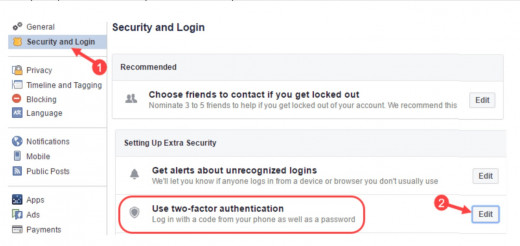
To secure your account for future hackers, you should allow two factor authentication, by turning it on. To turn this feature on, you should login and go to your user security settings and enable 2FA.
Comments
Post a Comment