13 Potential Causes For a Phone to Stop Working & Their Solutions
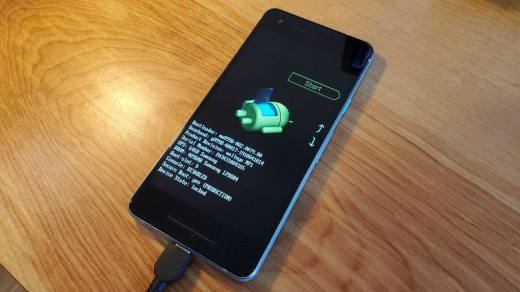
13 Potential Causes For a Phone to Stop Working & Their Solutions
Are you tired of your phone suddenly stopping to function without any warning? It's frustrating, right? Well, there could be numerous reasons behind this unexpected behavior. From a dead battery to a faulty hardware component or even water damage, the causes are wide-ranging and can leave you scratching your head in confusion.
In this post, we've rounded up 13 potential culprits that may cause your beloved device to stop working and what you can do about it. So buckle up and read on!
13 Potential Reasons for a Phone to Stop Working & Their Solutions
1. Dropped Phone
Dropping a phone is a common problem, which can lead to extensive damage of the internal components, rendering it useless. In some cases, this impact can crack or shatter the screen; making it difficult or impossible to use. Therefore, if you experience this, we advise you take your phone to a professional repair shop immediately in order to get it fixed.
2. Spilled Liquids on Phone
If you've ever dropped your phone in water, you know the sinking feeling of watching it sit there, submerged. But what about those other times when your phone comes into contact with water? You might not even realize it, but there are a number of ways water can get onto and into your phone, causing all sorts of problems.
To start with, let's look at the most obvious way water gets onto your phone: spilling a drink on it. Whether it's a cup of coffee or a glass of water, any liquid that comes into contact with your phone can cause damage. The liquid can short out the circuitry in your phone, leading to all sorts of problems. In some cases, the damage may be immediately apparent. In others, it may take a while for the effects to show up. Either way, if you've spilled something on your phone, it's best to take precautions and get it checked out as soon as possible.
Another way water can get onto your phone is through condensation. This often happens when you bring your phone from a cold environment into a warmer one. The sudden change in temperature can cause moisture to form on the surface of your phone. This moisture can seep into the internals of your phone and cause problems just like spilled liquids can.
Finally, there's the issue of humidity. If you live in an area with high humidity levels, that moisture can make its way into your phone even if you don't spill anything
3. Phone Overheat
If your phone gets too hot, it can start to have issues. This can include the battery overheating and causing the phone to switch off or reset, as well as the processor being impacted that could result in slow performance or apps crashing. To help cool things down, find a cool air-conditioned location for it to rest. Additionally, disabling any superfluous apps or functions might also aid in cooling it off.
4. Hardware or Software Issue
If your phone has stopped working, it could be caused by physical damage or a software issue. Hardware issues are typically the result of dropping your phone or getting it wet. Software-related issues might include a broken operating system, a virus damage, or an unsupportive app. If you're uncertain what's causing the malfunction, try restarting your device first before attempting a factory reset.
5. Dead Battery
One of the most common reasons a phone may stop working is because the battery has died. If your phone won't turn on or stay on, it's likely that the battery is the issue. There are a few ways to check if this is the case:
If your phone has a removable battery, try taking it out and putting it back in. This sometimes can reset the connection and get your phone working again.
If your phone has a non-removable battery, try plugging it into a power source using the charging cord. If the phone turns on or indicates that it's charging, then you know the battery was the issue.
If neither of these methods work, then it's possible that there is another issue with your phone and you should take it to a professional for diagnosis.
6. Corrupted or Deleted Operating System
One of the most frequent reasons for a phone not functioning correctly is an operating system that has been corrupted or removed. This typically occurs following physical damage to the device, failure to upgrade software, or if it's dropped. These scenarios might lead to the appearance of error messages, freezing, or the complete powering down of the phone.
7. Missing or Damaged SIM card
If your phone stops working, one potential cause could be a missing or damaged SIM card. If your SIM card is missing, you will need to contact your carrier to get a replacement. If your SIM card is damaged, you may be able to use a SIM card reader to recover the data on the card.
8. Phone was Reset Without Backing up Data
One of the most frequent reasons for a phone not operating is when it is reset without saving data. This can be catastrophic if essential files or images are stored on your device, as all information will be erased, and there is no way to retrieve it. Fortunately, you can avoid this issue by backing up your data routinely and making use of cloud technology.
9. Third-party App Issue
A common cause for a phone to cease functioning properly may be an incompatibility or bug within a third-party app. Uninstalling the app is one way to attempt to rectify the issue.
10. Out of Storage Space
Your phone suddenly stopping could be due to a few possible causes. Insufficient storage space can cause apps and other functions to become sluggish. If this is the case, it's best to delete old files and free up more room for new ones. If the suggested solution don't work, there could be an issue with your phone's hardware or software requiring professional repairs.
11. Poor Network Connection
A phone needs a good connection to a wireless or cellular network in order to work properly. If the connection is weak or intermittent, it can cause all sorts of problems, including a complete loss of service.
12. Virus or Malware Infection
One of the most common reasons a phone may stop working is due to a virus or malware infection. A phone's vulnerability to viruses and malware can be caused by downloading a malicious app, clicking on a phishing link, or accessing an infected website.
In serious cases, the malicious code can compromise your personal details or take control of your device, even potentially infecting other devices on the same network. If you think your phone has picked up an unwanted infection, it's best to perform a factory reset and remove all data from the phone in order to eradicate the problem.
13. Failed Update
If your phone isn't updating properly, it may eventually stop functioning. This can be an annoying experience as you might use your phone for communicating, work or other important matters. You could try a few steps to remedy the situation, but if the update continues to fail it may be best to replace it.
If your phone its failing to update, restating your device is a good place to start as this can sometimes solve software-related issues causing the update to not work. Also, attempt connecting with a varied Wi-Fi network in order to make sure you're receiving the right signal strength.
If all other remedies fail, check if manually updating your phone via downloading from the manufacturer's website will help. Unless none of these options works, then your phone probably cannot receive new updates and won't last indefinitely.
In conclusion, there are many potential causes of a phone not working. From physical damage to software issues and even bad apps, having an understanding of the different possibilities can make it easier to identify the cause and find a solution. It is also important to remember that no matter how careful you are with your device, sometimes problems arise from seemingly out of nowhere. If this happens, it's best to take your phone into a repair shop for professional help in getting it back up and running again.

Comments
Post a Comment